Strict and flexible website blocker
Effective block mechanism
In Jiyuu, you can freely customize the app to block specific URLs, prevent uninstallation attempts, block unsupported browsers, and also block Android emulators.
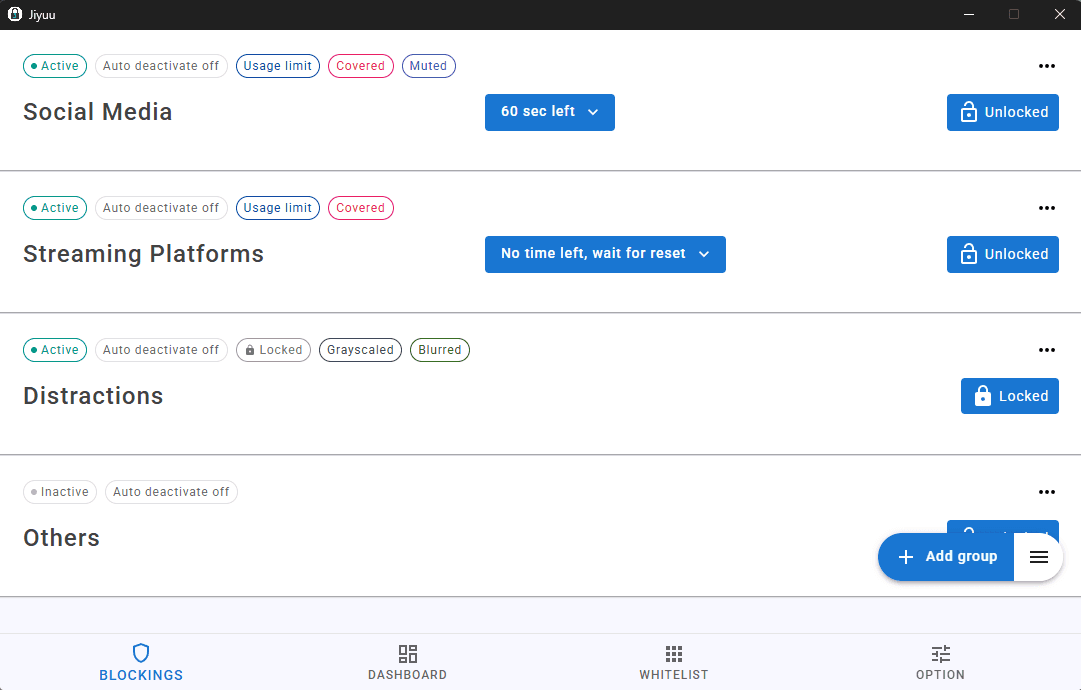
Versatile blocking
There are different utilities to block your distracting websites. Jiyuu also offer restrictions that prevents users from instinctively deactivating their blocks.
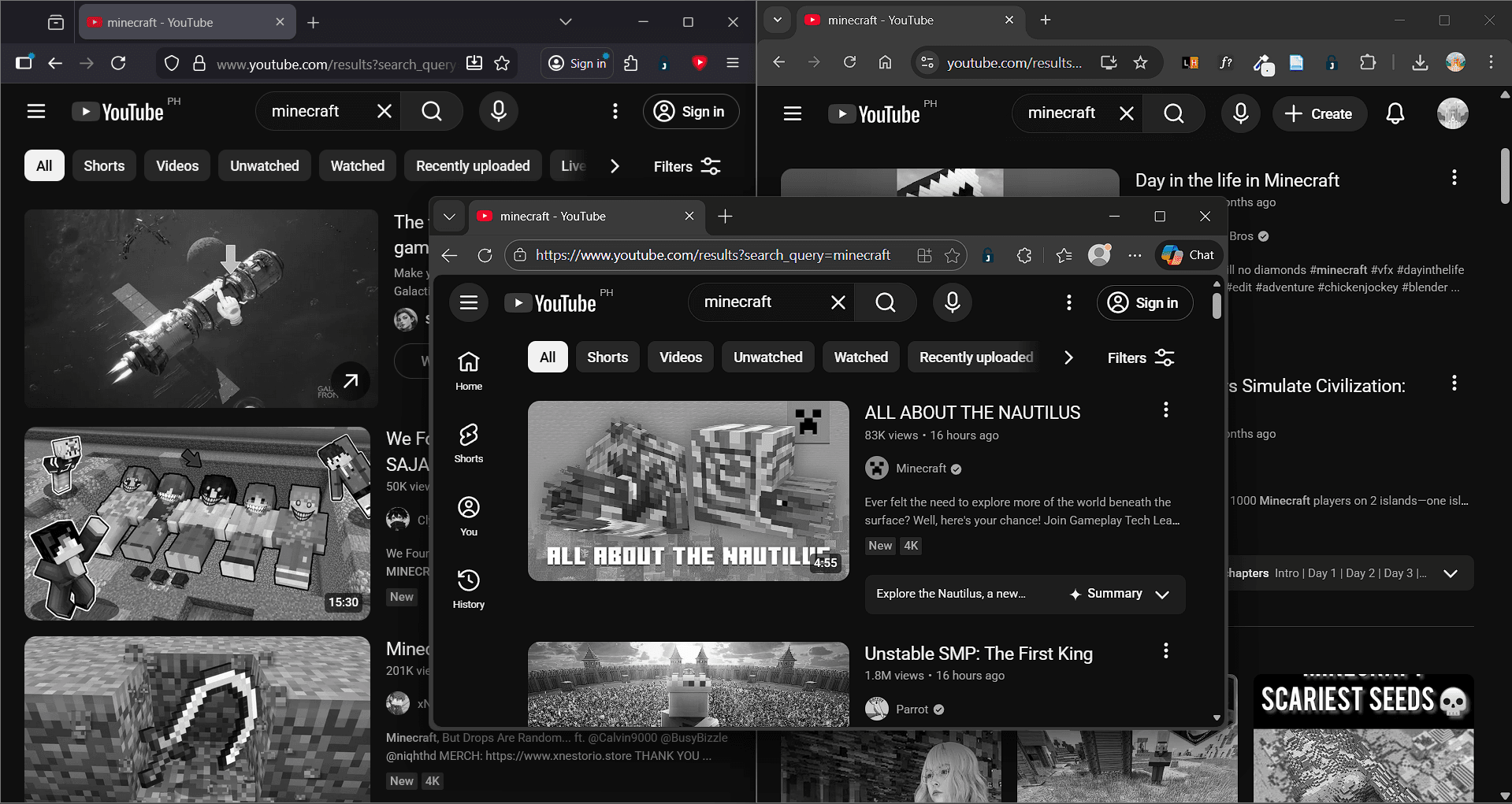
Customize how your block works
You can grayscale, mute, full-cover, and even blur the websites that you want to block.
Apply restrictions in different ways
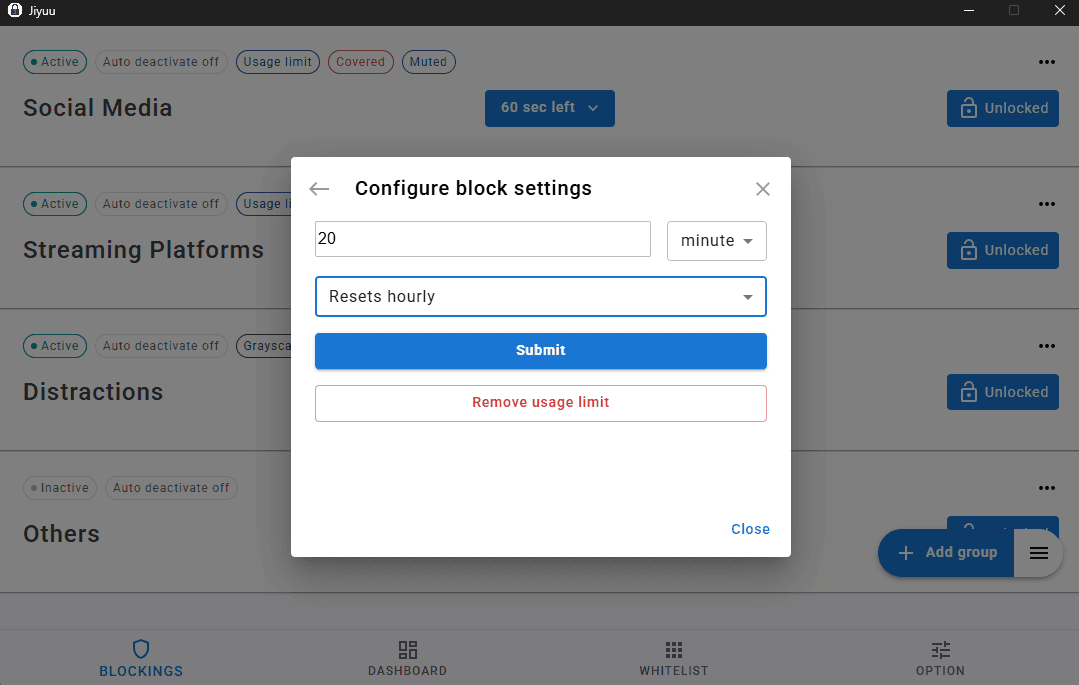
Make your block lists harder to deactivate using password, random text challenges, timer, and usage limit.
Other notable features
Jiyuu offers other important and helpful features so that you can seamlessly use the app
Detailed Analytics
Track time spent on websites, and time spent per blocked groups.

Import/Export block lists
Import or export your block lists in a form of JSON or TXT file.

Auto Updates
Stay current with the latest features and security patches. Desktop app automatically checks for updates and installs seamlessly in the options tab.

Open-Source codebase
The codebase for jiyuu is publicly available in github.com/xinzhao2627/jiyuu. Developers can contribute and submit issues that were detected.

Cross-Browser Support
Simultaneously use on different browsers like Chrome, Firefox, Edge, Brave, Opera, Vivaldi, and more. Download the extension in each browser’s add-ons store

Supported browsers
After installing the extension, please go to it's settings and make sure Jiyuu extension runs on incognito or private window. Otherwise, the browser may suddenly stop if Jiyu detects the extension is not installed while there are any activated blocks.
| Browser | Type | Extension URL |
|---|---|---|
| firefox | mozilla_based | Extension store link |
| brave | chromium_based | Extension store link |
| microft edge | chromium_based | Extension store link |
| opera | chromium_based | Extension store link |
| opera gx | chromium_based | Extension store link |
| google chrome | chromium_based | Extension store link |
For bugs, concerns, or suggestions, contact us through rainnsoft@gmail.com